
The plan, the site, and the money.
Plan the work with weighted activities and tasks. Submit field reports with photos directly from the site. Track expenses against budget and collections against contract value, and compare the plan with actual progress—all in one workspace, right from your pocket.
Download the mobile app
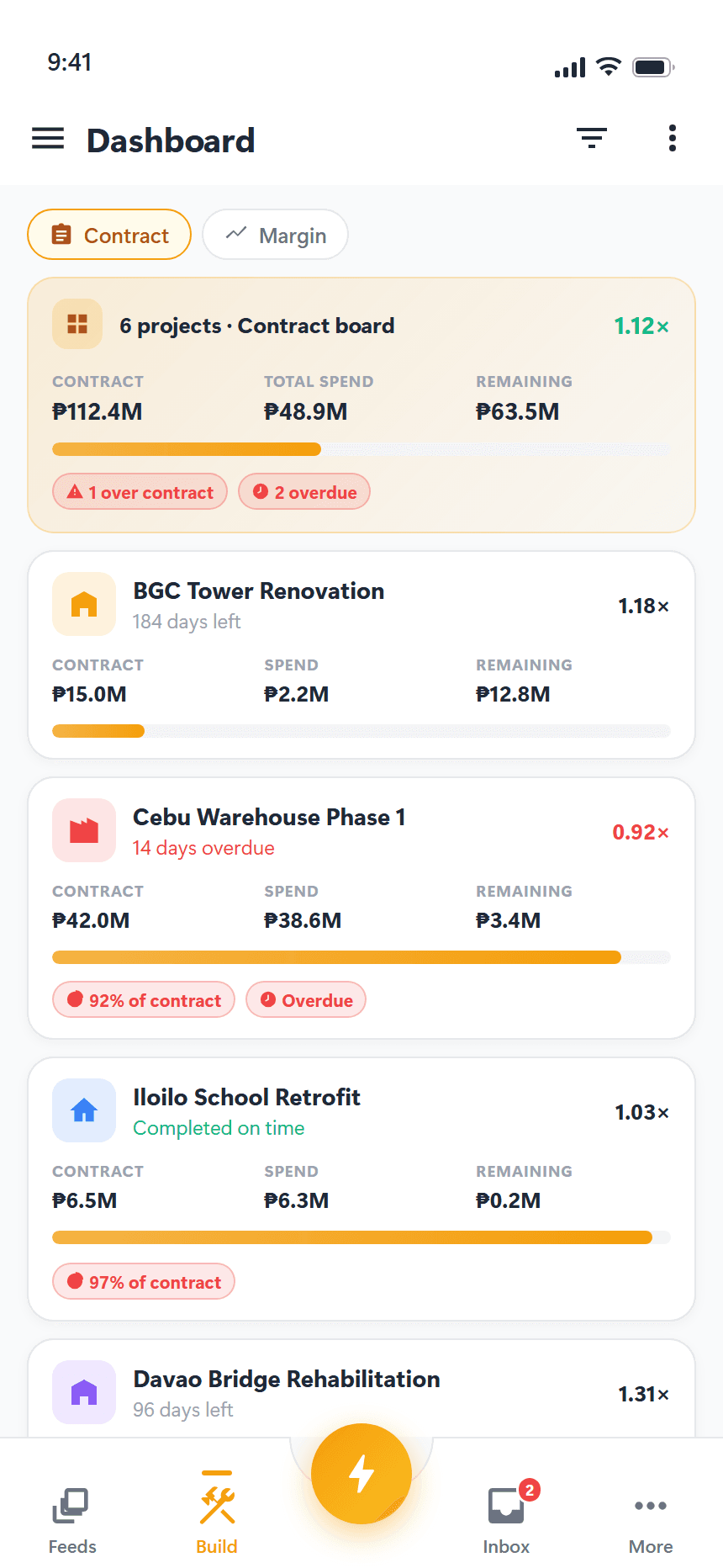
One product. Every workflow.
Every module below is included in every plan — the tiers differ by capacity, not by what you can do. AI runs on a monthly credit allowance, and heavy months can be topped up with a credit pack.
Projects
Define scope, location, budget, dates, cover photo, and attachments per project. Group projects under organizations and pin priorities to the top.
Activities & tasks
Weighted activities and their tasks, with dependencies, assignees, attachments, and per-task budgets that roll up automatically.
Expenses
Field-friendly receipt capture with multi-attach, per-task splits, and live budget reconciliation.
Workspace dashboard
Every project side by side: contract value, spend, what remains, and how much time is left — so the question is which job needs you, not what the numbers are.
Field reports
Daily construction reports, progress updates, observations, punch lists, and incidents — filed from site with photos and files attached.
Feed & comments
A typed project feed with reactions, comments, and an attention digest that surfaces what needs you next.
Team & roles
Built-in roles plus custom roles with colors and granular permissions — including a financials-visibility override.
Multi-organization
One account, many workspaces. Switch tenants without re-login; ideal for JVs and multi-entity contractors.
AI assistant
Analyze your own project data in plain language, build a work breakdown from an uploaded document, and draft client updates from the period's field reports.
Collections & cash
Track what the client has actually paid in against what's been spent out of it — with alerts when spending outruns collections.
Schedules
A Gantt that draws the plan and the actual side by side, the actual reconstructed from the field reports your crew already filed.
Change orders
Group post-signing scope into a change order. Approved value re-derives the project budget, so the contract is worth what the app says it is without a spreadsheet keeping score.
What it looks like on site.
The same screens as the App Store and Google Play listings. Tap through the full set in the gallery.
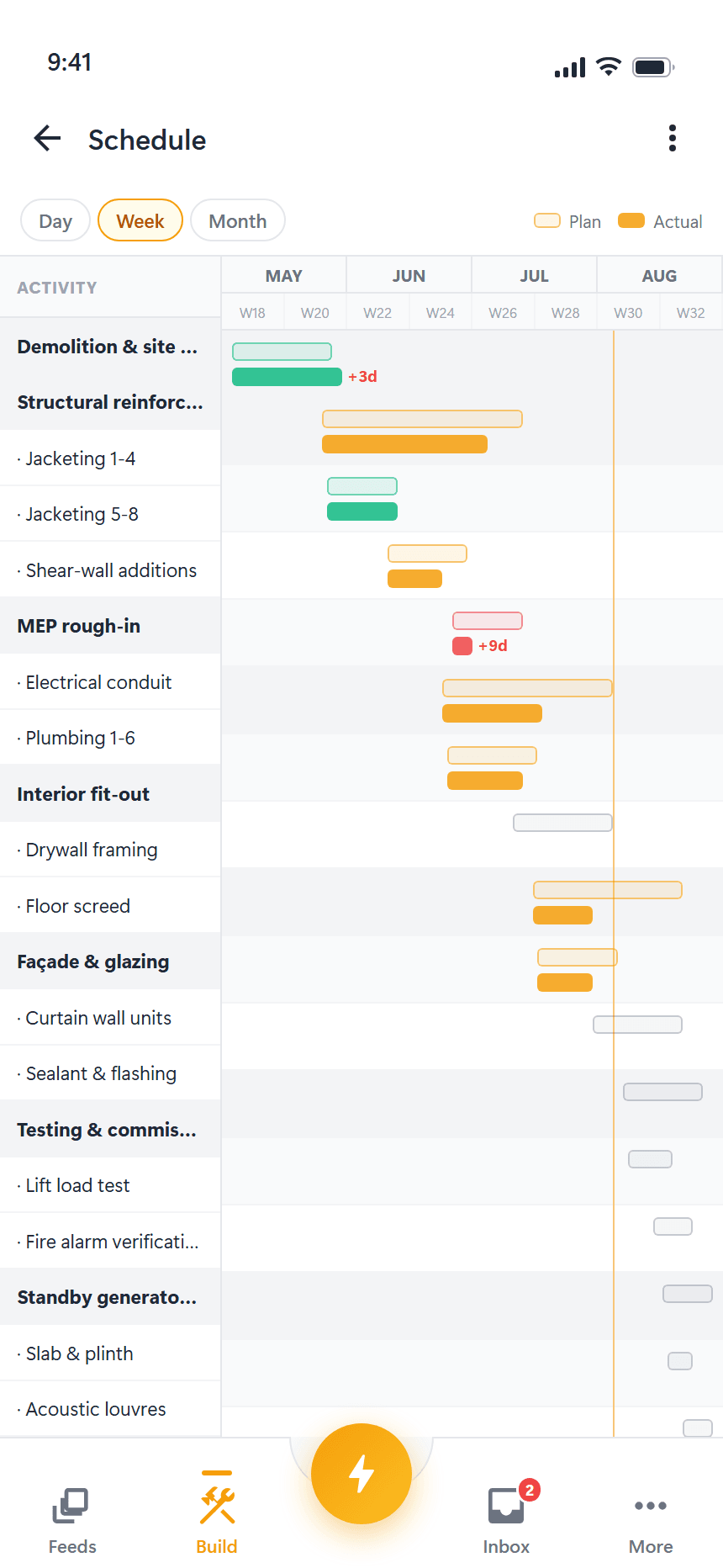
Plan against what actually happened
Planned and reported dates on one bar — and the slip between them.
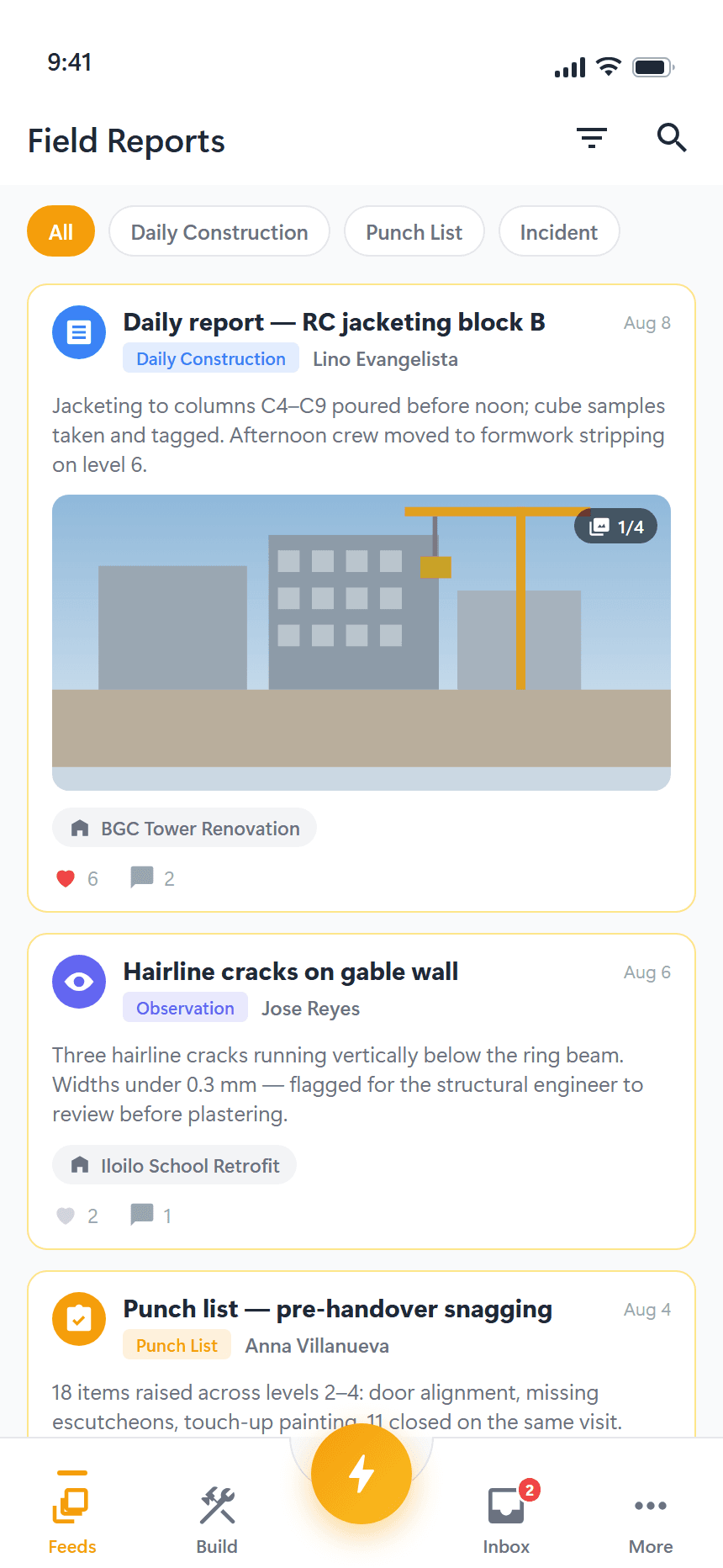
Report from site, with photos
Daily reports, observations, punch lists and incidents.
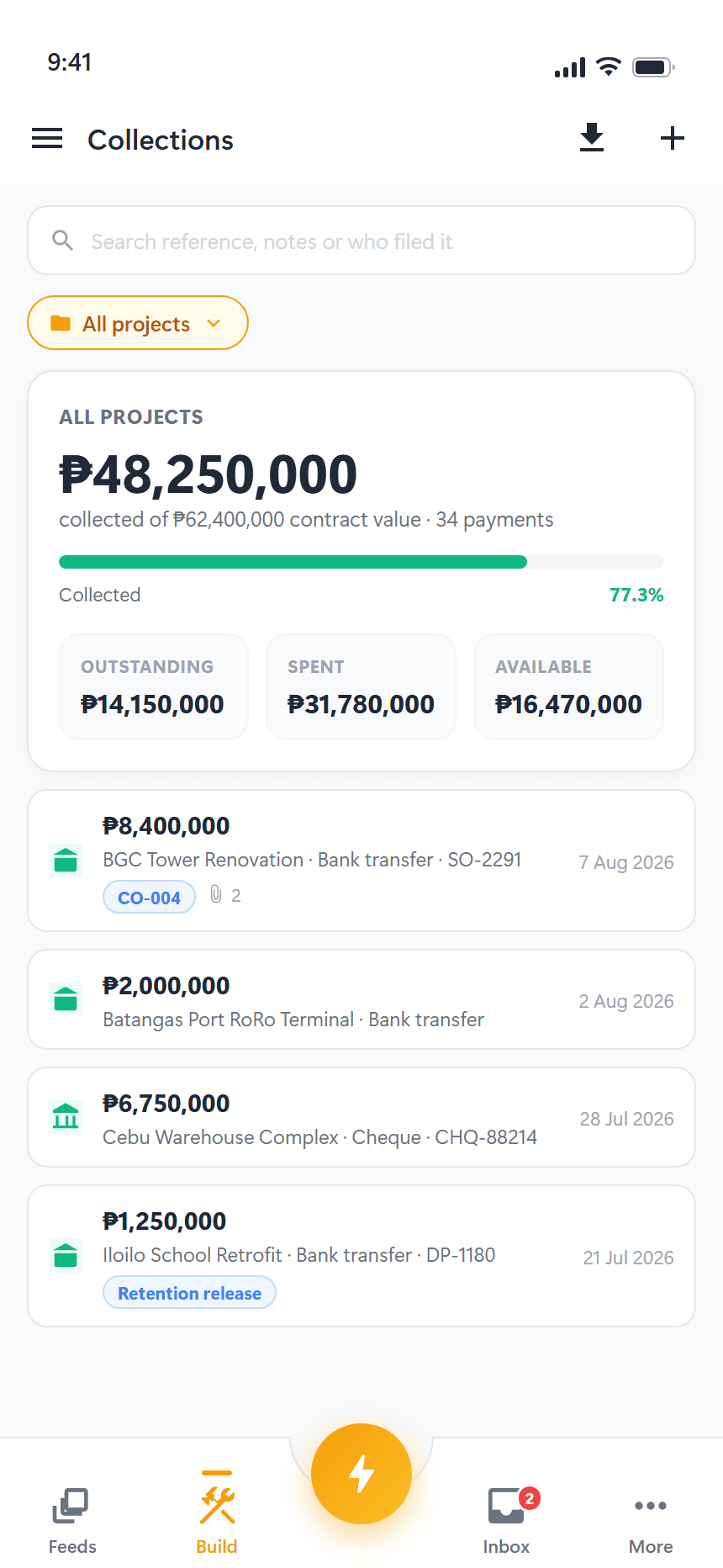
Track the money coming in
Payments received against contract value, by project.
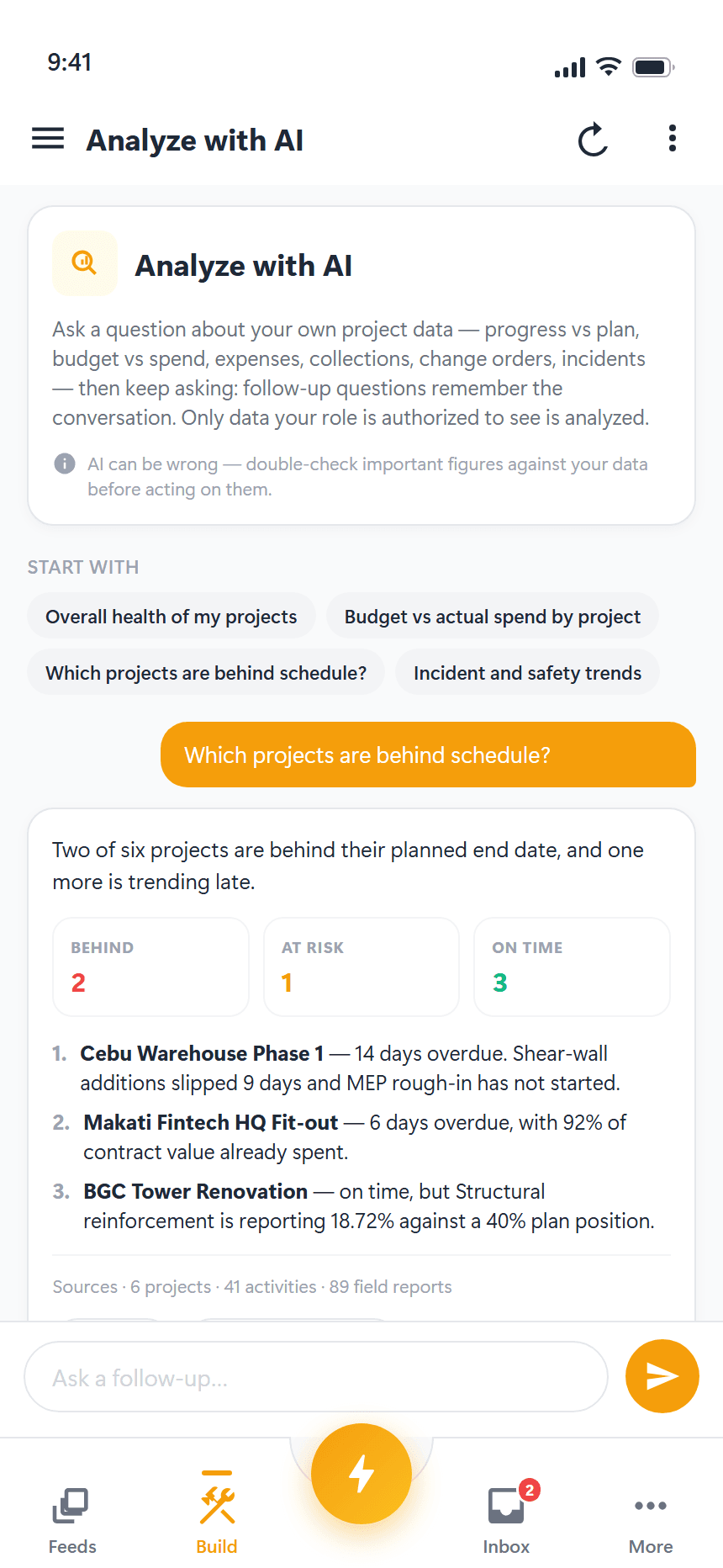
Ask your project data a question
Progress, budget, expenses and incidents — answered in context.
Replaces chat threads, paper logs, and ad-hoc trackers.
Built-in region presets for currency, timezone, and locale.
One change, and every phone on the job has it.
Ready to build smarter?
Track projects, progress, and expenses in one workspace — without the spreadsheets. The free plan covers a first project with no card.